
Condo for Sale TC Green Rama9 19 Floor 1 Bed 1 Bath 37.6 m²
1/7
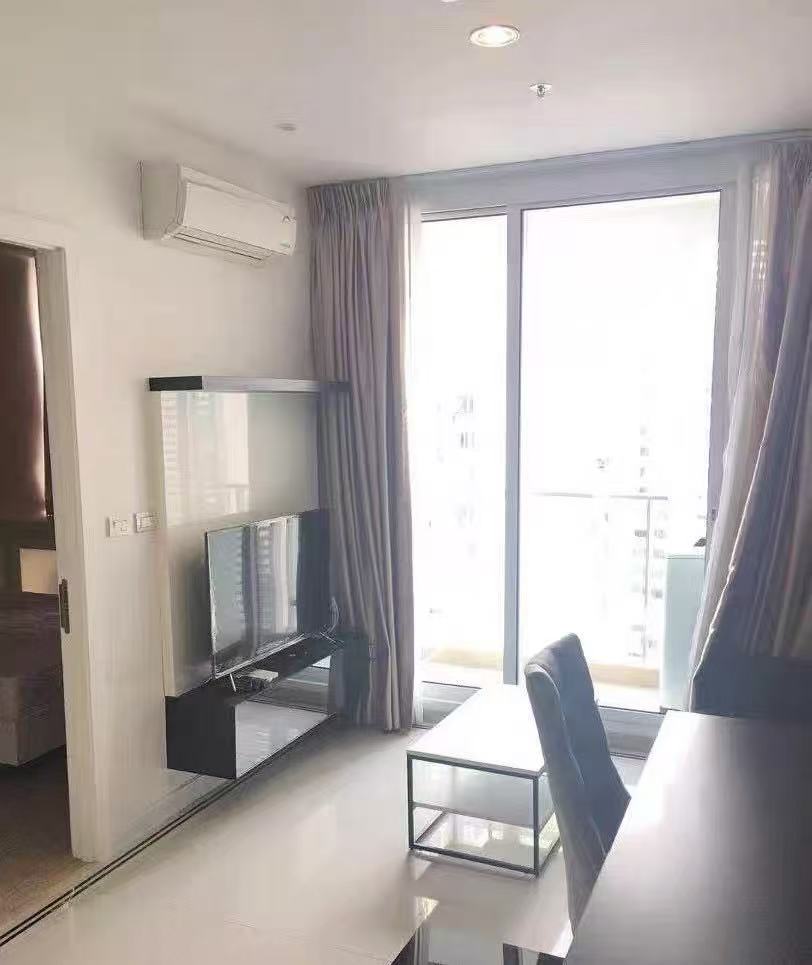
TC Green Rama9
- Layout
- 1 Bed 1 Bath
- Building
- C
- Floor
- 19
- Area
- 37.6 m²
Sale price
฿2,300,000
Condo for sale TC Green Rama9
Sale price: 2,300,000 Baht
Room type: 1 bed 1 bath
Size: 37.6 sq.m.
Floor: 19
----------------------
ขายคอนโดทีซี กรีน พระราม 9
ราคาขาย 2,300,000 บาท
ประเภทห้อง: 1 ห้องนอน 1 ห้องน้ำ
ขนาดห้อง: 37.6 ตร.ม.
ชั้น: 19
----------------------
Condo出售
售价:2,300,000THB
房间类型:One bedroom一卫
Area:37.6m²
Floor:19
In-unit amenities
Hob&Hood Fully Furnished